
System Options - AW Options
This page contains some options for Automated Workflow operations.
AW Options will only appear if you are licensed for the AW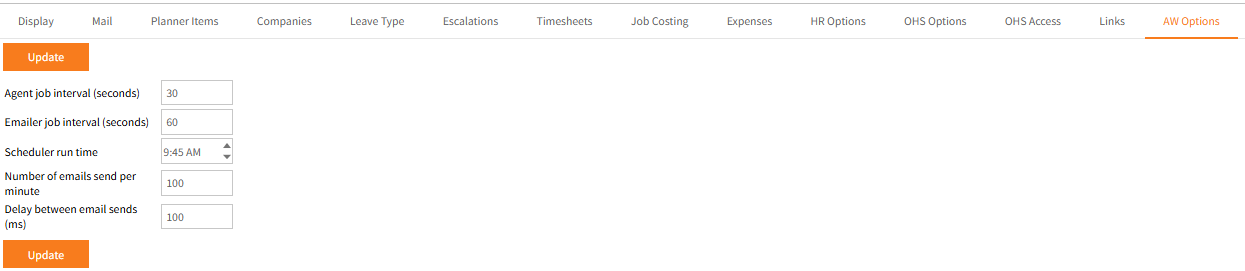
- Agent job interval (seconds) – This is how often AW checks for and processes payloads e.g. payloads created by table updates.
-
Emailer job interval (seconds) – AW emails are queued and sent in batches at intervals to avoid being blocked by email servers.
60 seconds is the default which matches Office 365’s requirements (used in conjunction with the number of emails send per minute below).
Set appropriate restrictions for both for your email service. -
Scheduler run time – All workflow tasks are executed daily at the time specified here.
The default is 12:00AM. Individual tasks may have conditions that mean the execute at different times.
The Scheduler may also be manually run in Admin > Workflow Tools > Run Scheduler if required. -
Number of emails send per minute – This is the maximum numbers of emails sent in the batch.
For most users sending though Office365’s smtp.office365.com, the appropriate setting would be 30. -
Delay between email sends (ms) – This is the delay in between each email in milliseconds.
It should normally not need to be changed from 100.